Getting started
This page is the whole first-run journey in one place: install the app, choose a plan, then complete the five step setup checklist that takes you from an empty screen to live Amazon listings. Each step has a detailed article of its own, linked below.
Most merchants get through it in well under an hour. The parts that take real time are Amazon's authorisation flow and deciding which products you want on Amazon.
Before you begin
You need three things.
- A Shopify store where you can install apps. You must be the store owner, or a staff member whose permissions include installing and managing apps.
- An Amazon Seller Central account in a supported region. The app supports North America, Europe and the Far East. Your account must be a selling account, and you must be able to sign in to it to approve the authorisation.
- A payment card, if you want a paid plan. Billing runs through Shopify, so the card on your Shopify account is the one that is charged. Paid plans include a 14-day free trial, so nothing is charged on the day you install.
You do not need barcodes or ASINs ready in advance. You will want them eventually, because they are what the app uses to match your products to Amazon, but you can install and explore without them.
Step 1: Install the app
Install Amazon Seller Sync from the Shopify App Store. Shopify asks you to confirm which store you are installing on.
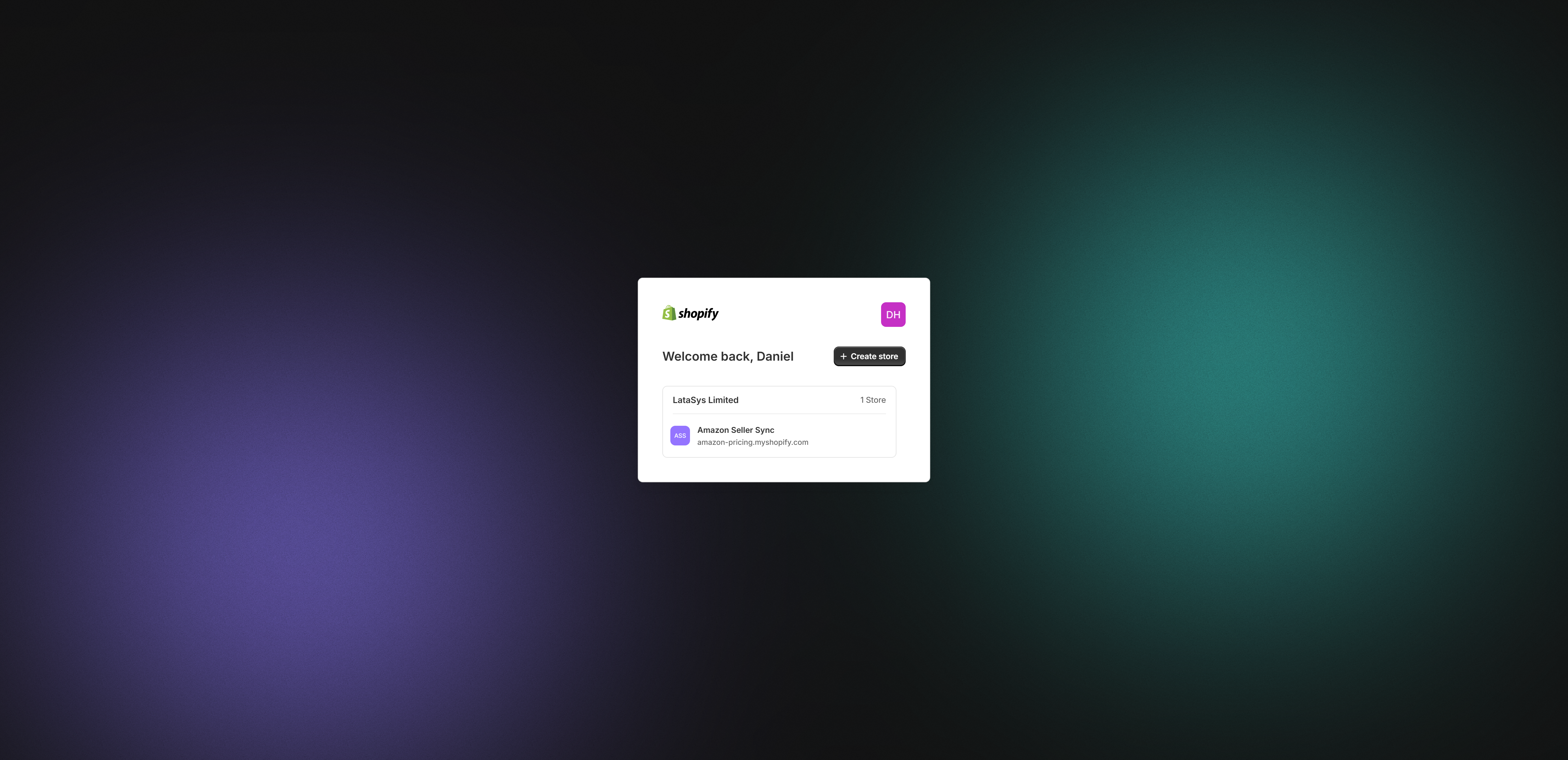
Shopify then shows the access grant screen, listing exactly what the app can read and change. Review it and select Install. Shopify returns you to the app inside your Admin.
Note
The app requests only the permissions it needs to run price sync, mapping and listings. Fulfilment by Amazon needs extra order, fulfilment, location and inventory permissions, and it asks for those separately, in-app, and only if you choose to turn that feature on.
Step 2: Choose a plan
This is the first-run gate, and it surprises people, so it is worth stating plainly.
On first open, the entire app is replaced by the plan chooser. There is no dashboard behind it and no way to skip it. Until you pick a plan, nothing else in the app works.
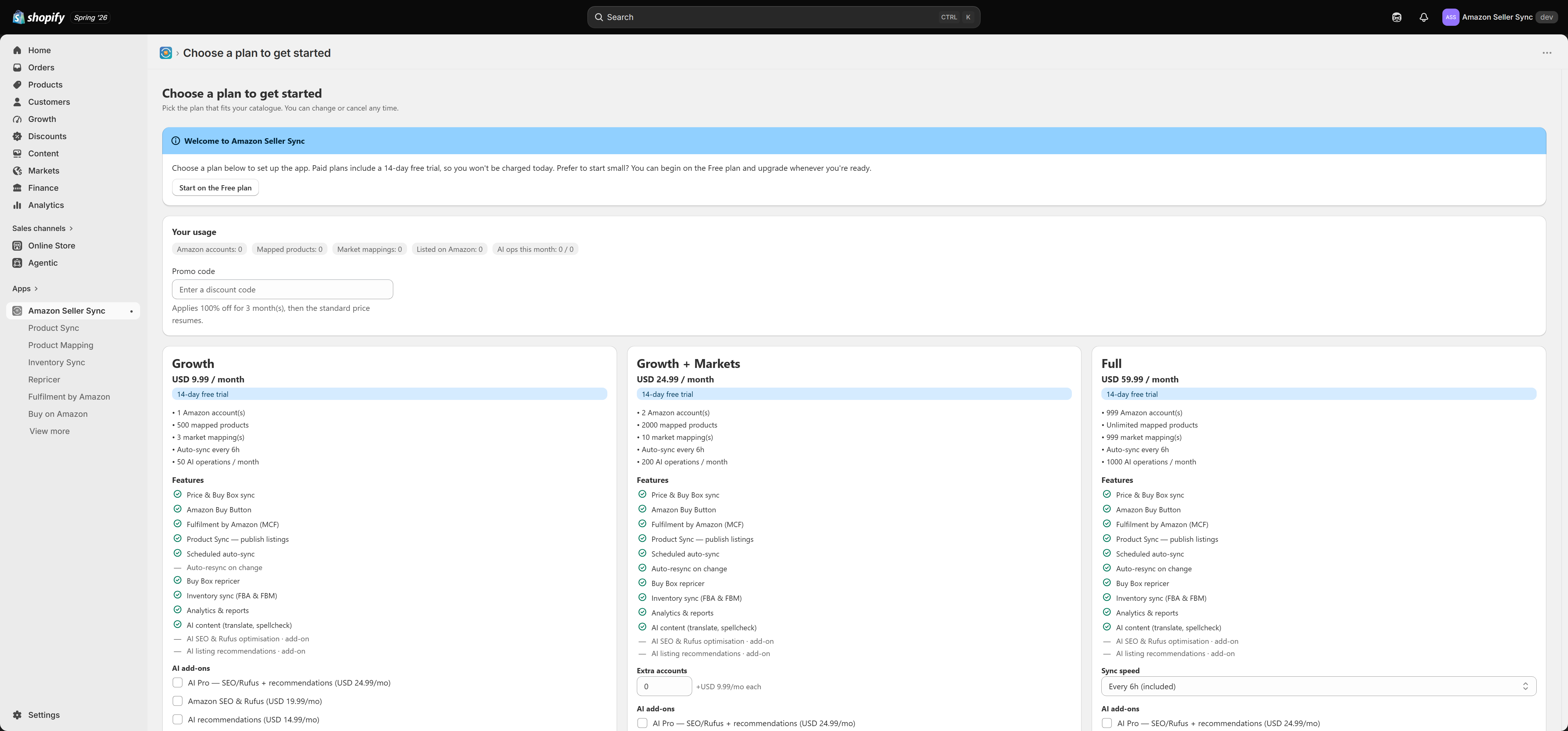
Free is a valid choice. It is a real plan, not a trial that expires. On Free you still get price and Buy Box sync, the Buy on Amazon button, and Fulfilment by Amazon. What you do not get is Product Sync, the Repricer, Inventory Sync, Analytics or the AI tools, and you are limited to one Amazon account, ten mapped products, no per-market overrides, and a 24 hour sync interval.
Paid plans include a 14-day free trial, so choosing one today does not charge you today. Each card lists what it includes. If you are not sure, pick the smallest plan that covers the feature you actually need, because you can change plan later. Read Plans and billing for the full comparison, the add-ons, and what happens when you downgrade.
Step 3: Work through the setup checklist
Once you have a plan you land on the Dashboard. The Finish setting up card at the top is your checklist. It has five steps and ticks each one off as you complete it.
- Connect your Amazon account. Pick your Amazon region, authorise the app in Seller Central, and come back. The app then discovers which marketplaces your account is authorised for. Detail: Connecting Amazon Seller Central.
- Check for conflicting apps. The app looks for other Amazon apps on your store. Two apps managing the same listings will fight over price and stock. Detail: Check for conflicting apps.
- Choose your marketplaces. Set your default (home) Amazon marketplace, and on paid plans map individual Shopify markets to specific Amazon marketplaces. This step only completes when you explicitly save a mapping. Detail: Setup checklist.
- Map products for price sync. Link Shopify variants to Amazon ASINs so the app can pull live Amazon prices and Buy Box status back into Shopify. Detail: Product Mapping.
- Publish products to Amazon. Create real Amazon listings from your Shopify products. This needs a paid plan. Detail: Product Sync.
The steps are listed in the order most merchants want them, but only the first one is genuinely a prerequisite for the rest.
For exactly what marks each step done, and why step 3 is the one that most often looks stuck, read the Setup checklist article.
What "done" looks like
You are set up when all of the following are true.
- The Finish setting up card shows all five steps complete, says "You're all set", and offers Hide setup guide.
- The At a glance tiles on the Dashboard show real numbers for active products, price-mapped variants, variants with a live Amazon price, Buy Box won, and products listed on Amazon.
- Sync health shows your listings as healthy, or lists the ones that need attention with Re-check, Re-push and Open actions.
- The "Last automated sync" card shows a recent run.
Where to go next
Once the basics are running, a sensible order is Product Mapping to get live prices flowing, then Product Sync to publish listings, then the Repricer and Analytics once there is enough live data to act on. If you want Amazon to ship your Shopify orders, set up Fulfilment by Amazon whenever you are ready, because it does not depend on the other steps.
If something does not behave as described here, see Troubleshooting.
Related Articles
Amazon Seller Sync
Interactive walkthrough Prefer to see it in action? Open the guided walkthrough, an animated, click-by-click tour you can play automatically or step through yourself. Amazon Seller Sync is an embedded Shopify app that joins your Shopify store to your ...Amazon accounts, regions and marketplaces
Before you map a single product, it helps to understand how Amazon organises selling accounts. Amazon is not one global shop. It is a set of regional groups of marketplaces, and your Seller Central account belongs to exactly one of those groups. ...Analytics
Analytics turns the data the app already collects into four decisions: what to restock, what actually makes money once Amazon has taken its cut, how often you win the Buy Box, and what has shipped from Amazon's warehouses. Interactive walkthrough ...Inventory Sync
Interactive walkthrough Prefer to see it in action? Open the guided walkthrough, an animated, click-by-click tour you can play automatically or step through yourself. Inventory Sync is the screen that keeps your Amazon stock levels and your Shopify ...Variations
Amazon calls a group of related listings a variation family: one parent that customers never buy directly, and a set of children that they do. A T-shirt in three colours is one parent and three children. The app builds that structure for you out of ...